

SECCAP online attendance lets students of Sindh government colleges who were admitted through SECCAP follow their college attendance in the official student portal. You use the same account you applied with. Our own admission was confirmed on 22 October 2026, so this page shows what the portal really shows today: where attendance appears, the 75% rule printed on the dashboard, and what to do if your attendance looks wrong.
Quick answer: SECCAP online attendance
- Where: sign in at seccap.dgcs.gos.pk/login. Your attendance percentage is on the Dashboard, and there is an Attendance section in the left menu.
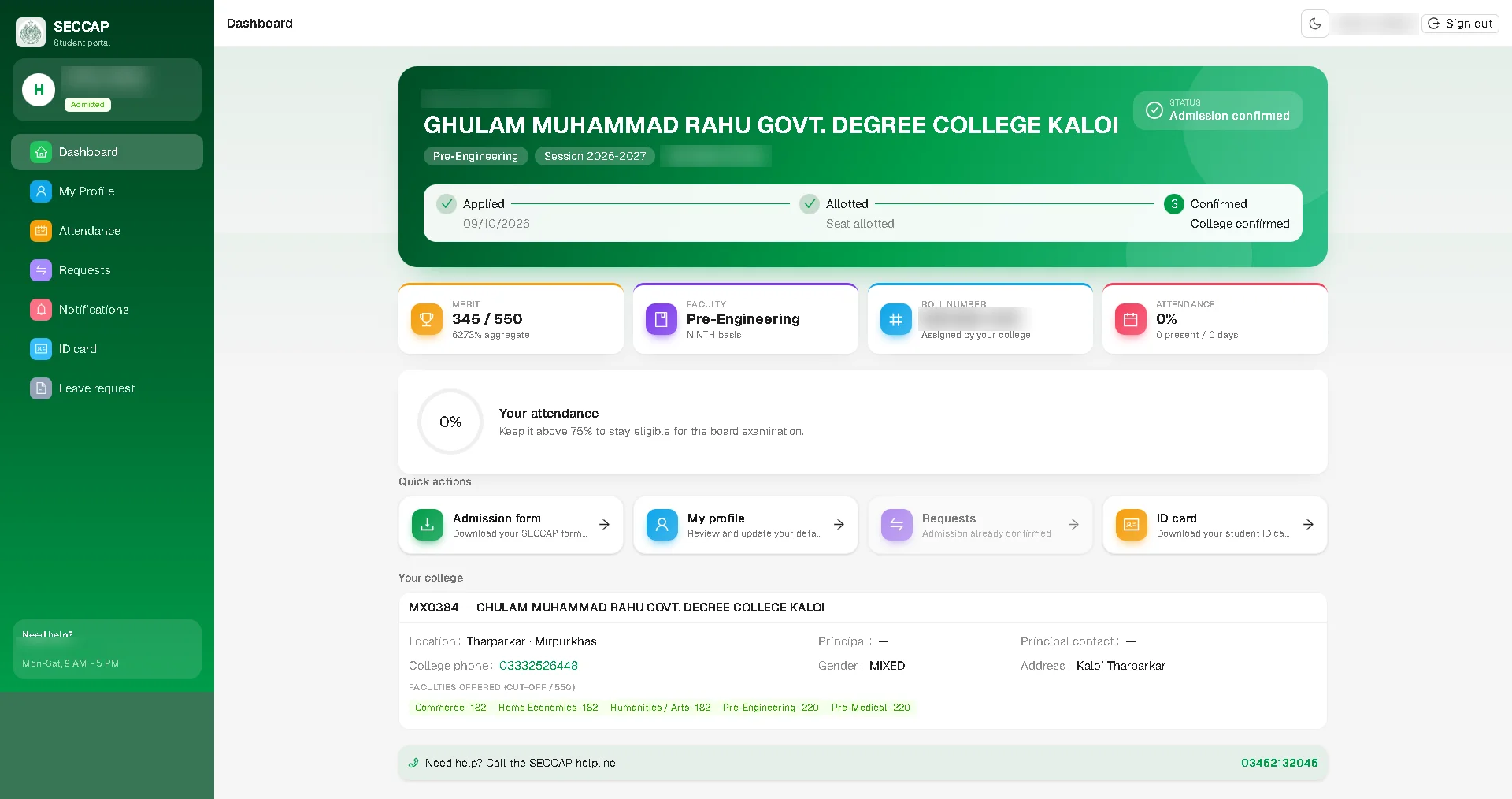
- Minimum: the dashboard says Keep it above 75% to stay eligible for the board examination.
- Status today: on 22 October 2026 the Attendance section said Student attendance — coming soon, and the dashboard showed 0% (0 present / 0 days).
- Who: students whose admission is confirmed. Before that, Attendance is locked.
- Wrong record? Your college records attendance, so speak to your class teacher or college office first.
Sign in to check your attendanceOpens seccap.dgcs.gos.pk/login on the official portal
- Sign inYour SECCAP account
- DashboardSee your attendance %
- Stay above 75%For board exam eligibility
- Report issuesTalk to your college first
How to check your SECCAP online attendance
- Sign in at seccap.dgcs.gos.pk/login with your SECCAP username (your CNIC) and your password. Trouble signing in? See our SECCAP login guide.
- Look at the Dashboard. Once your admission is confirmed, it has an Attendance card with your percentage and the number of days present, and a Your attendance box with the 75% reminder.
- Open Attendance in the left menu for the detailed record, once the service is live.
- Take a screenshot if you need to show something to your college.
Is SECCAP attendance working yet?
Not fully. We have seen the Attendance section in two states:
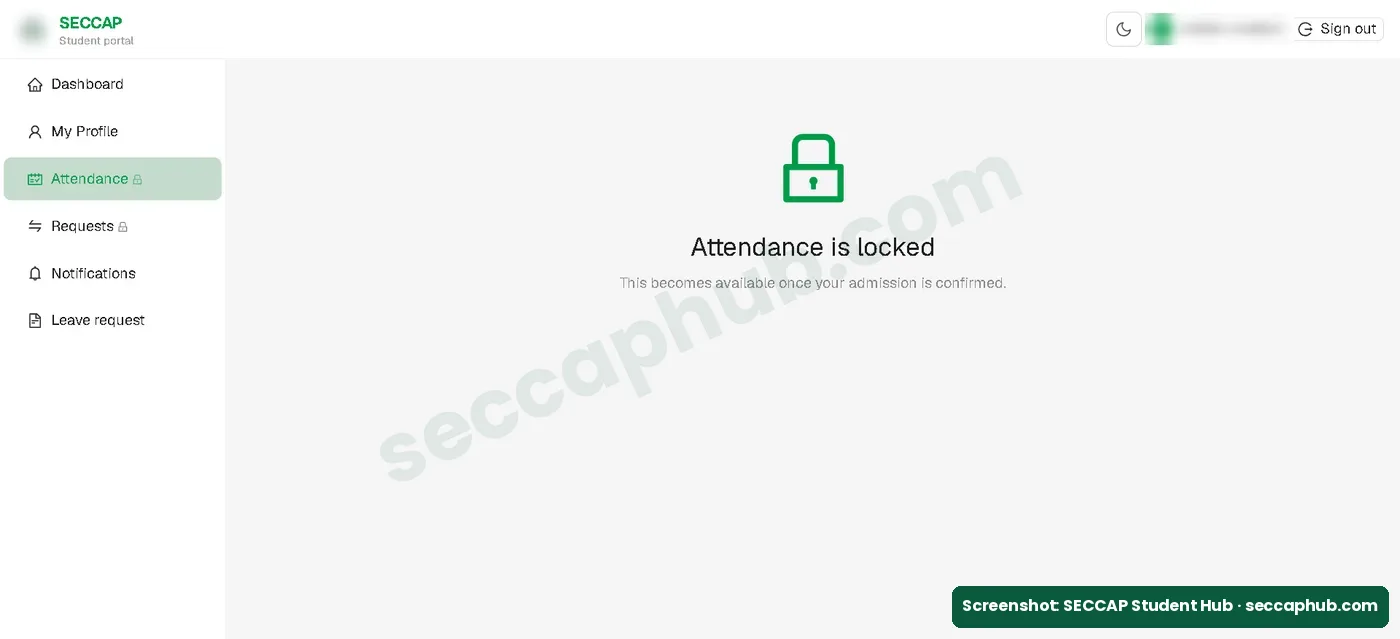
- Before admission was confirmed (9 October 2026): locked, with the message This becomes available once your admission is confirmed.
- After admission was confirmed (22 October 2026): Student attendance — coming soon. This part of SECCAP connects to a service that is not live yet. It will activate automatically once the admissions backend is deployed. No data is shown here in the meantime.
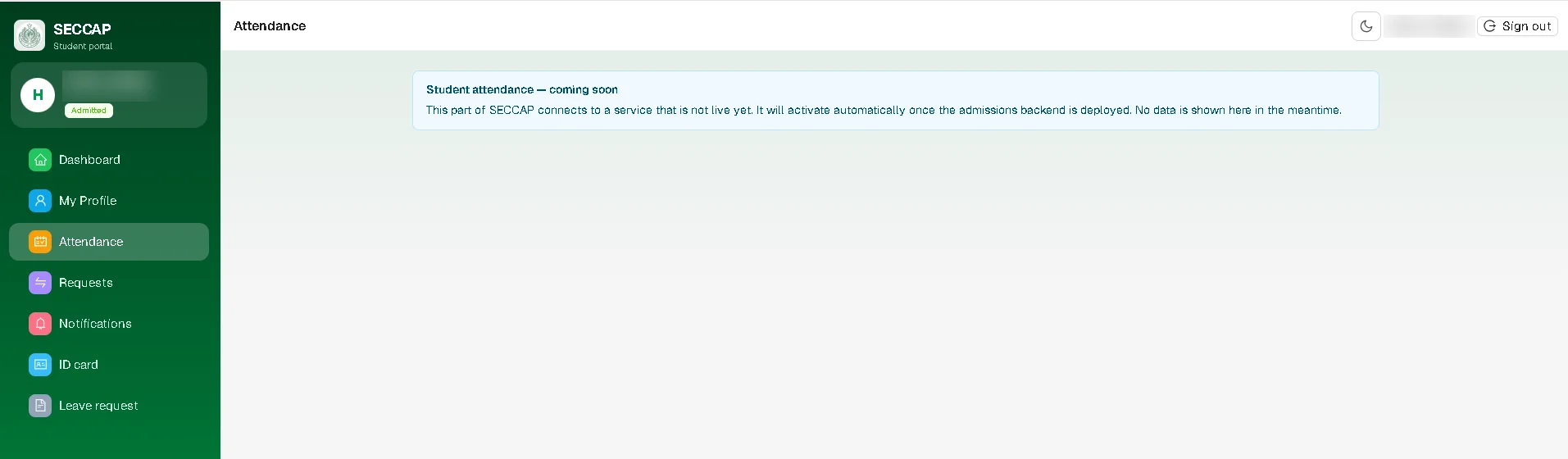
So a 0% figure right now does not mean you have been marked absent. It means no attendance has been recorded in the portal yet. Your college still takes attendance in class, so go regularly from the first week. We will update this page when the section goes live.
Why the 75% attendance rule matters
The SECCAP dashboard tells every admitted student: Keep it above 75% to stay eligible for the board examination. In other words, if your attendance falls below 75%, you may not be allowed to sit your intermediate board exams. Your college may have its own rules on top of this, so ask the college office, and keep your attendance high from the first week rather than trying to catch up later.
SECCAP ID card and attendance
Your attendance and your digital college ID card sit in the same SECCAP account, one below the other in the left menu. The ID card is already available once your admission is confirmed, even while attendance is “coming soon”. Follow our SECCAP ID card download guide to get it as a PDF.
Attendance undertaking form
Yes, there is an attendance undertaking. The SECCAP admission form PDF (downloaded from our portal on 22 October 2026) lists it among the required documents: Undertaking (by Parent/Guardian) to ensure 75% attendance. Your parent or guardian signs it and you take it to the college with your other documents. The portal does not give a ready-made undertaking to download, so ask your college office for its format. More in our SECCAP forms explained guide.
If your attendance looks wrong
| Problem | What to do |
|---|---|
| Attendance shows 0% or “coming soon” | Normal for now: the portal’s attendance service was not live yet on 22 October 2026. Keep attending classes |
| A day marked absent when you were present | Show your class teacher or college office; they keep the attendance record |
| Attendance is locked | Your admission is not confirmed yet; check the status under your name |
| The page does not open | Try again later, or use mobile data or another browser |
| Still not fixed | Contact the official help desk on 0345-2132045, Monday to Saturday, 9 am to 5 pm |
SECCAP online attendance FAQs
How do I check SECCAP online attendance?
Sign in to your SECCAP account. Your attendance percentage is on the Dashboard, and the detailed record is in the Attendance section of the left menu once that service is live.
What is the minimum attendance for SECCAP students?
75%. The SECCAP dashboard says: “Keep it above 75% to stay eligible for the board examination.” Your college may set its own rules too, so ask the college office.
Why does my SECCAP attendance show 0%?
Because the portal’s attendance service was not live yet. On 22 October 2026 the Attendance section said “coming soon” and the dashboard showed 0 present out of 0 days. It does not mean you were marked absent.
Who can check attendance on SECCAP?
Students admitted to a Sindh government college through SECCAP, using the same account they applied with. Attendance is locked until the admission is confirmed.
Who records my attendance?
Your college records attendance. If something looks wrong, speak to your class teacher or college office first.
Is there a SECCAP attendance undertaking form?
Yes. The SECCAP admission form lists “Undertaking (by Parent/Guardian) to ensure 75% attendance” as a required document. The portal has no ready-made form to download, so ask your college office for the format.
اردو میں خلاصہ
- سیکیپ پورٹل میں لاگ ان کریں، حاضری کا فیصد ڈیش بورڈ پر نظر آتا ہے۔
- ڈیش بورڈ کے مطابق بورڈ کے امتحان میں بیٹھنے کے لیے حاضری 75 فیصد سے زیادہ رکھنا ضروری ہے۔
- 22 اکتوبر 2026 تک حاضری کا حصہ “جلد آ رہا ہے” دکھا رہا تھا، اس لیے 0 فیصد کا مطلب غیر حاضری نہیں۔
- داخلہ فارم کے مطابق والدین یا سرپرست کی طرف سے 75 فیصد حاضری کا حلف نامہ (Undertaking) کالج میں جمع کرانا ضروری ہے۔
- حاضری کالج لگاتا ہے، غلطی ہو تو پہلے کلاس ٹیچر یا کالج کے دفتر سے بات کریں۔
Sources and how we checked this guide
Every fact on this page comes from the official SECCAP portal or our own admission on it. We last checked our student portal on 22 October 2026.
- Our own student portal, 9 and 22 October 2026: the Attendance section before and after confirmation, and the dashboard with the 75% note, and the admission form PDF with its list of required documents (screenshots with personal details blurred).
- Official login page: signing in to your SECCAP account.
- Check Attendance page on the official portal, checked on 4 October 2026.
This is an independent guide, not the official SECCAP website. If the portal says something different from this page, follow the portal and tell us so we can correct it.